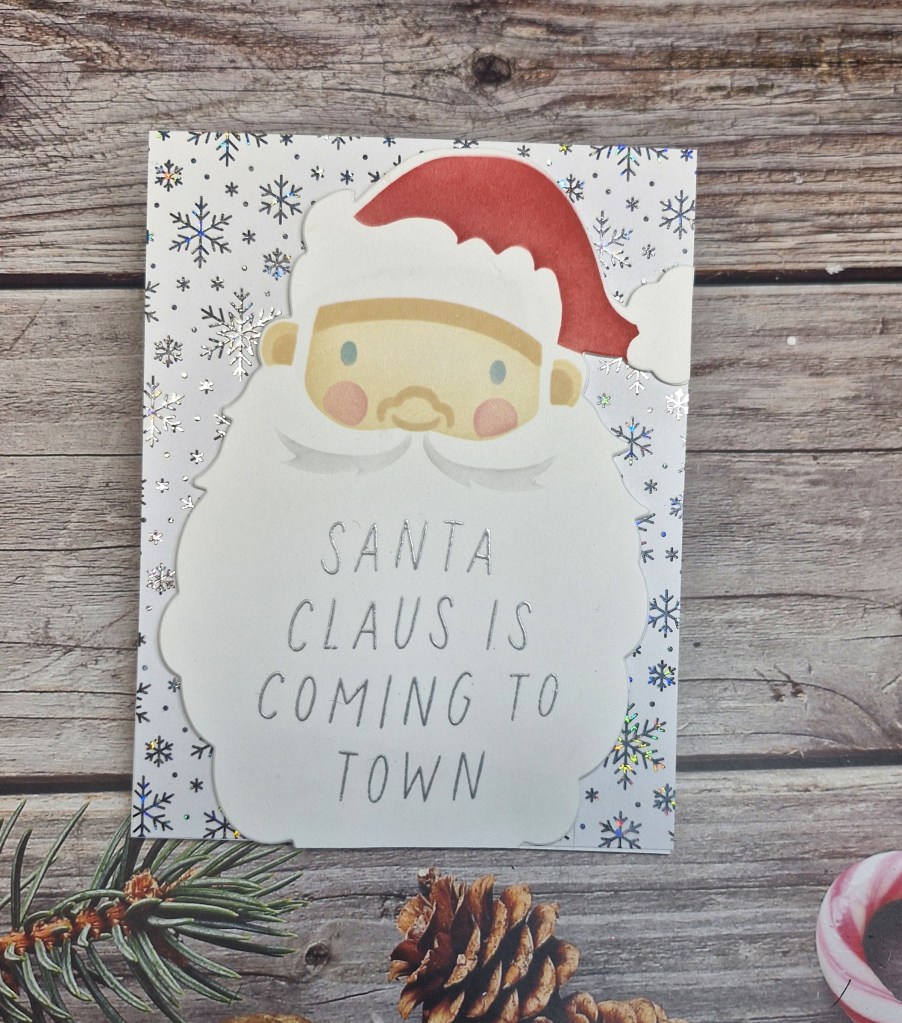
I was able to create with products received over a year ago when attending the ‘Let’s Stamp Together’ from Scrap book & Cards today and Concord & 9th products:
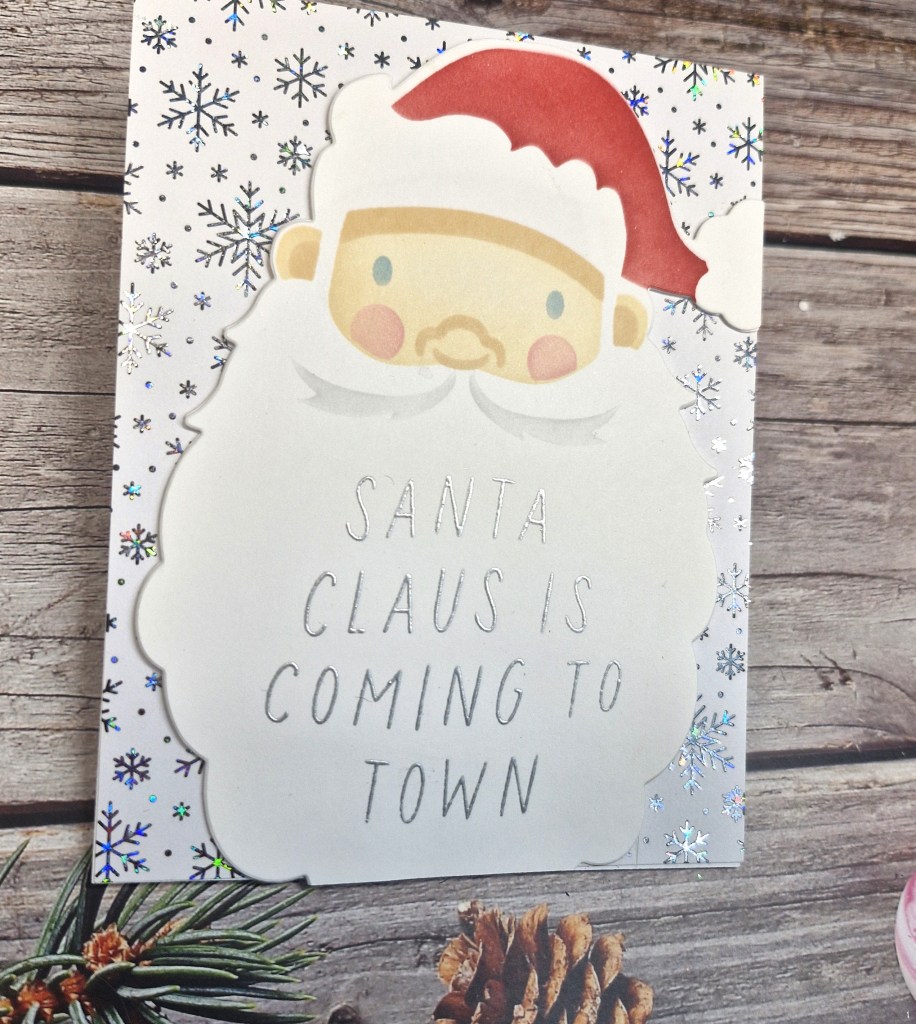
The product includes the stencils to create this jolly Santa, layering stencils which are fun to use, and the matching dies.
First job was to use the stencils to create him, then die cutting the image.
I chose this snowflake foiled background created using a toner sheet, so silver heat embossed the sentiment onto his beard.
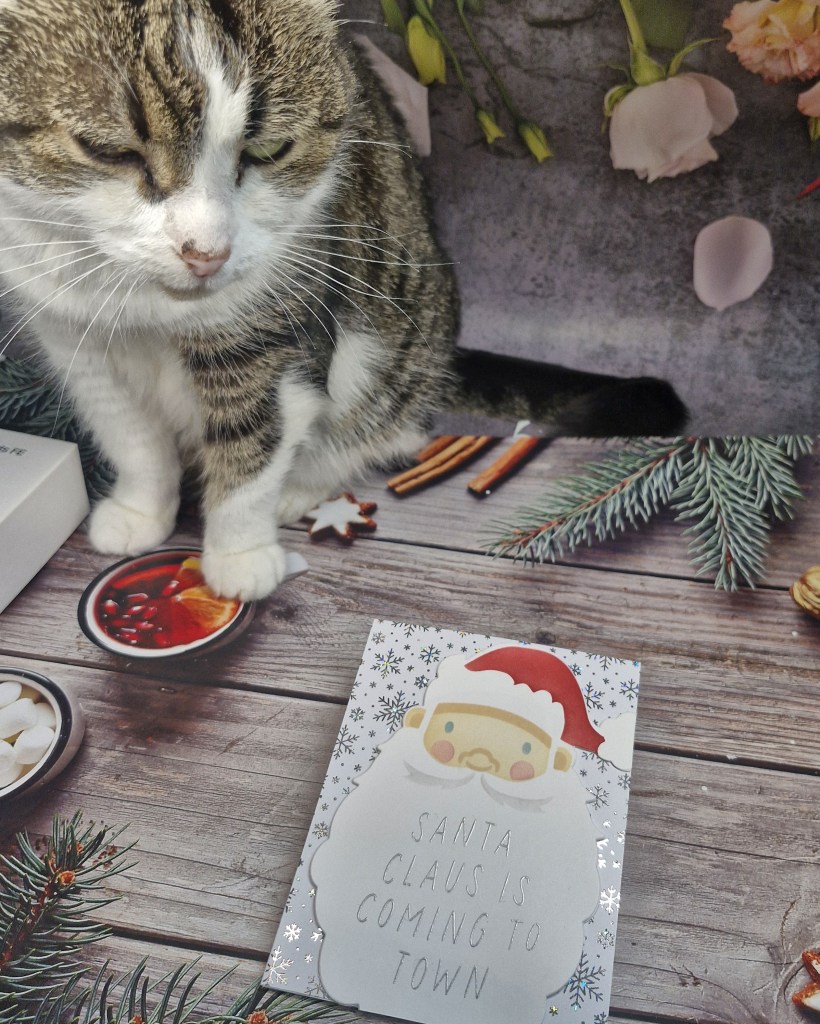
One of my cats decided she wanted to ‘help’ me take the photo, so here she is – for a little light relief:
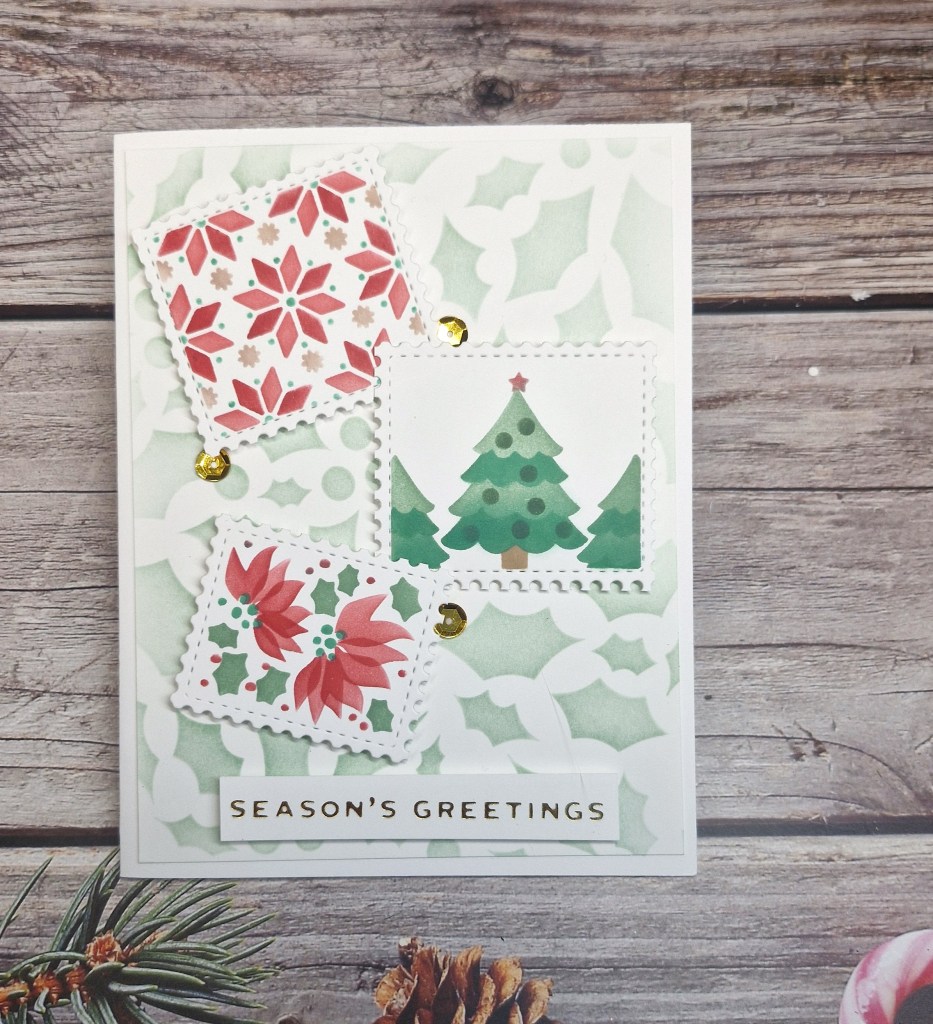
Here is a card I created using some of the rest of the images from the Waffle Flower Postage Collage I used the other day:
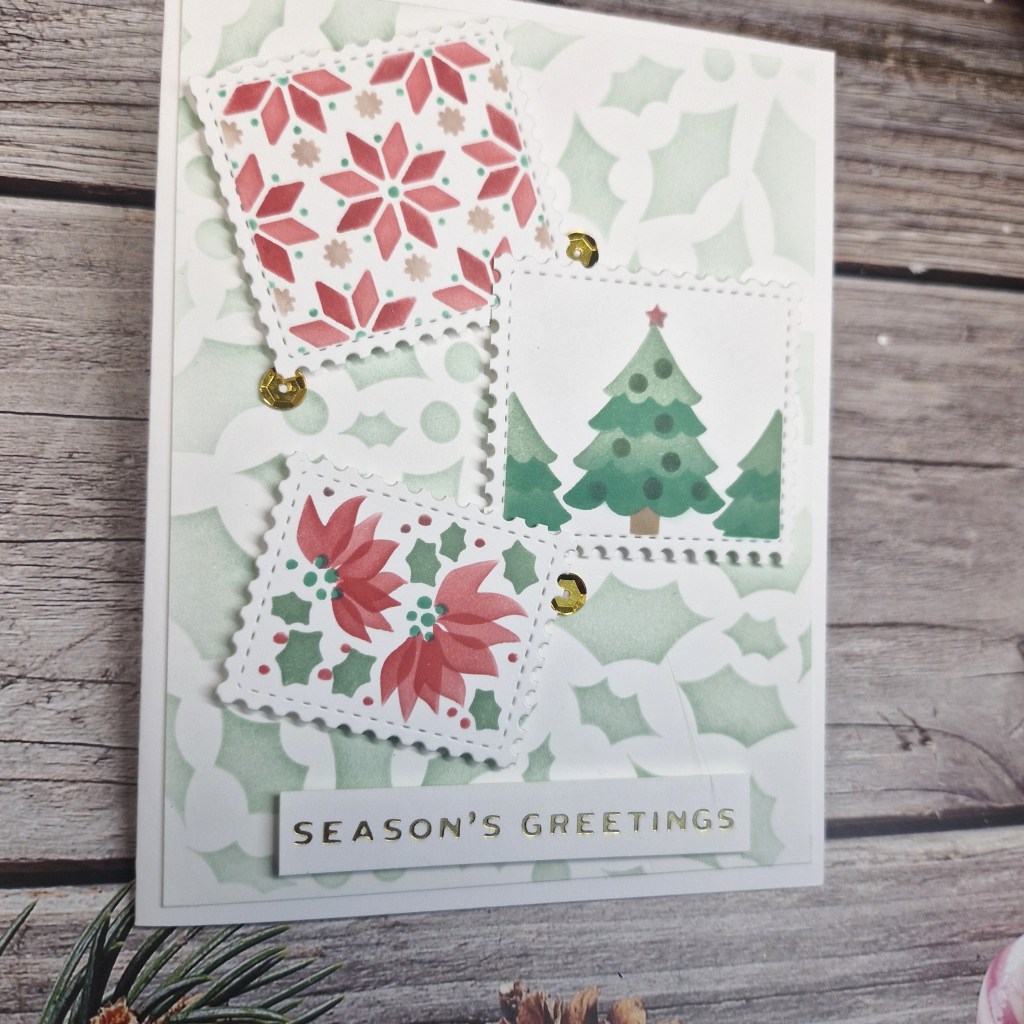
I had already ink blended and cut apart the images, so I created the muted holly background using a recently purchased holly stencil from Clarity Crafts, and cut it down slightly smaller than an A2 card base.
This panel was glued directly onto the card base, and the three images attached with 3D foam – jaunty angles – the foiled sentiment added, and then some gold sequins for added detail.
I shall be entering the following challenges:
Inkspirational – use stencils – option to use snowflakes not taken
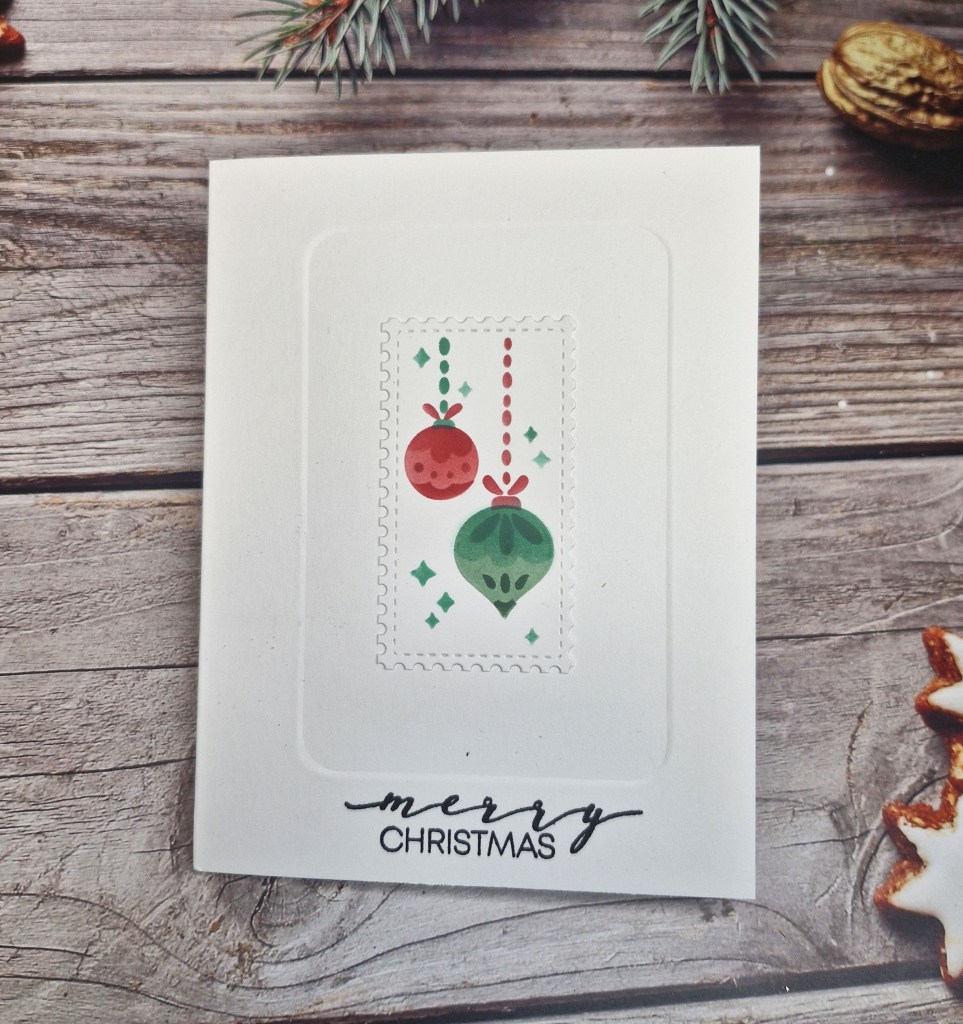
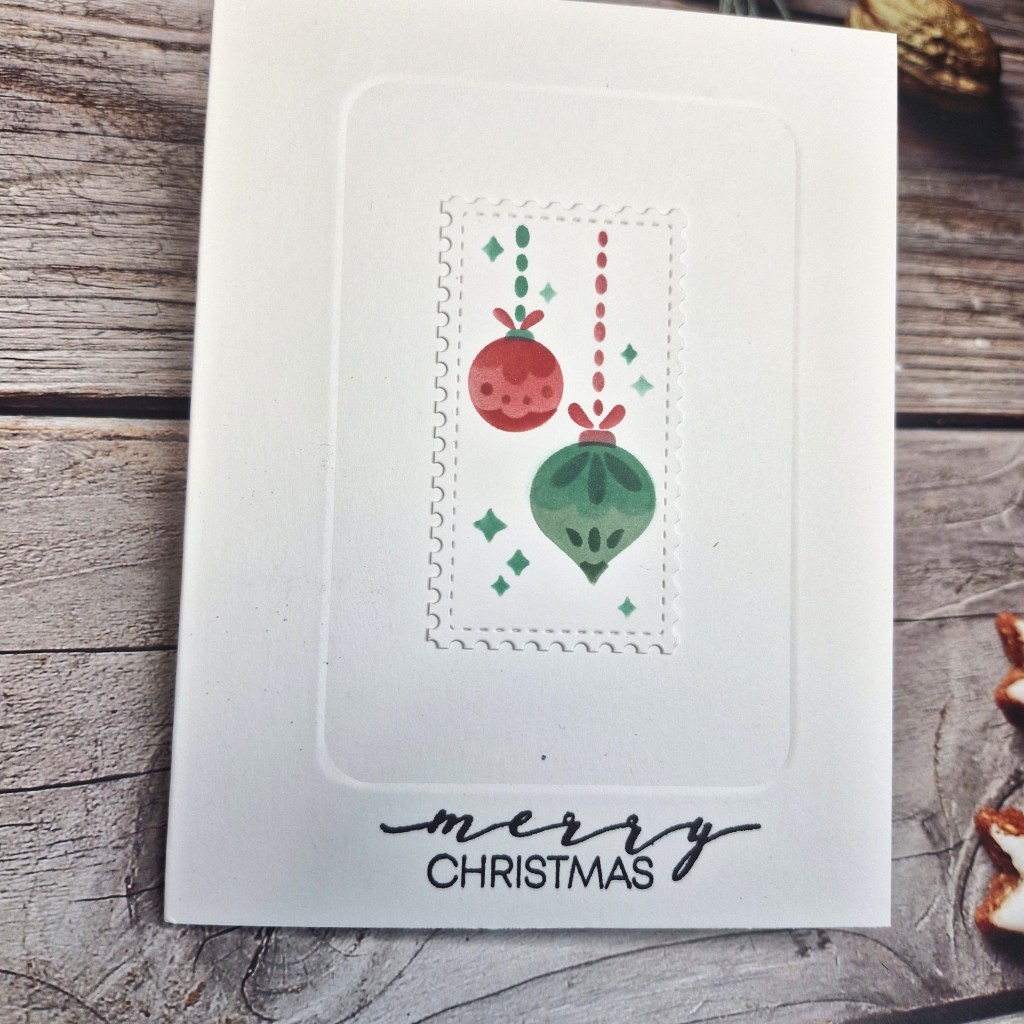
Hello. I am venturing into the CAS realm again with this card:
For the image on this card, I ink blended the whole of the Waffle Flower Christmas Collage stencil, then chose this one image for this card. The other images will be used on another card.
I first took a A2 card base, and used Clarity Crafts embedders to create the impression. I have a DT friend who is on the Design Team for Clarity Crafts, and she does some fabulous CAS cards – you might want to check our her blog here. Anyway, she uses the embedders and has given hints and tips – which I try to follow – and this time I think it worked….
After using the embedder, I stamped the sentiment, then attached the image with glue.
I find it hard not to add plenty of things and not add dimension -but I will persevere with the CAS look sometimes – just for fun…
Hello again. The Alphabet Challenge has reached the letter ‘R’, and Billie A has chosen the theme of:
R is for Ribbon
Here is my card:
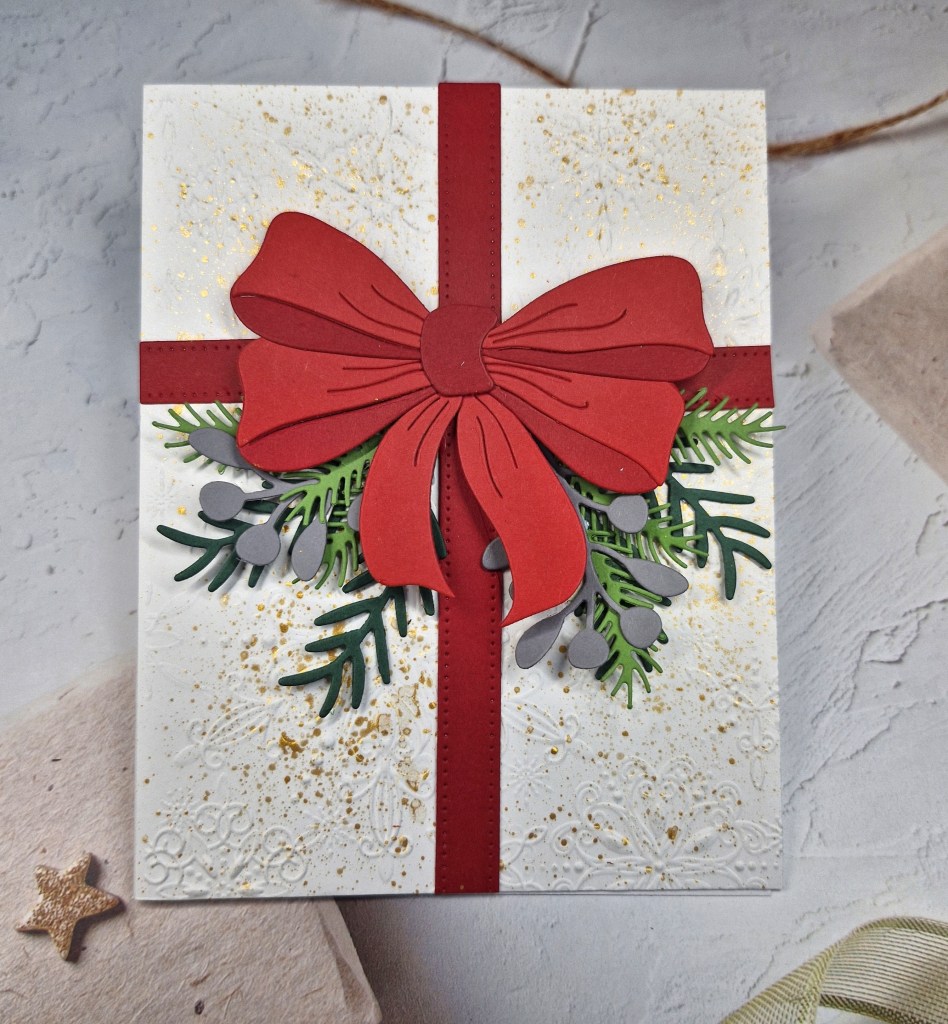
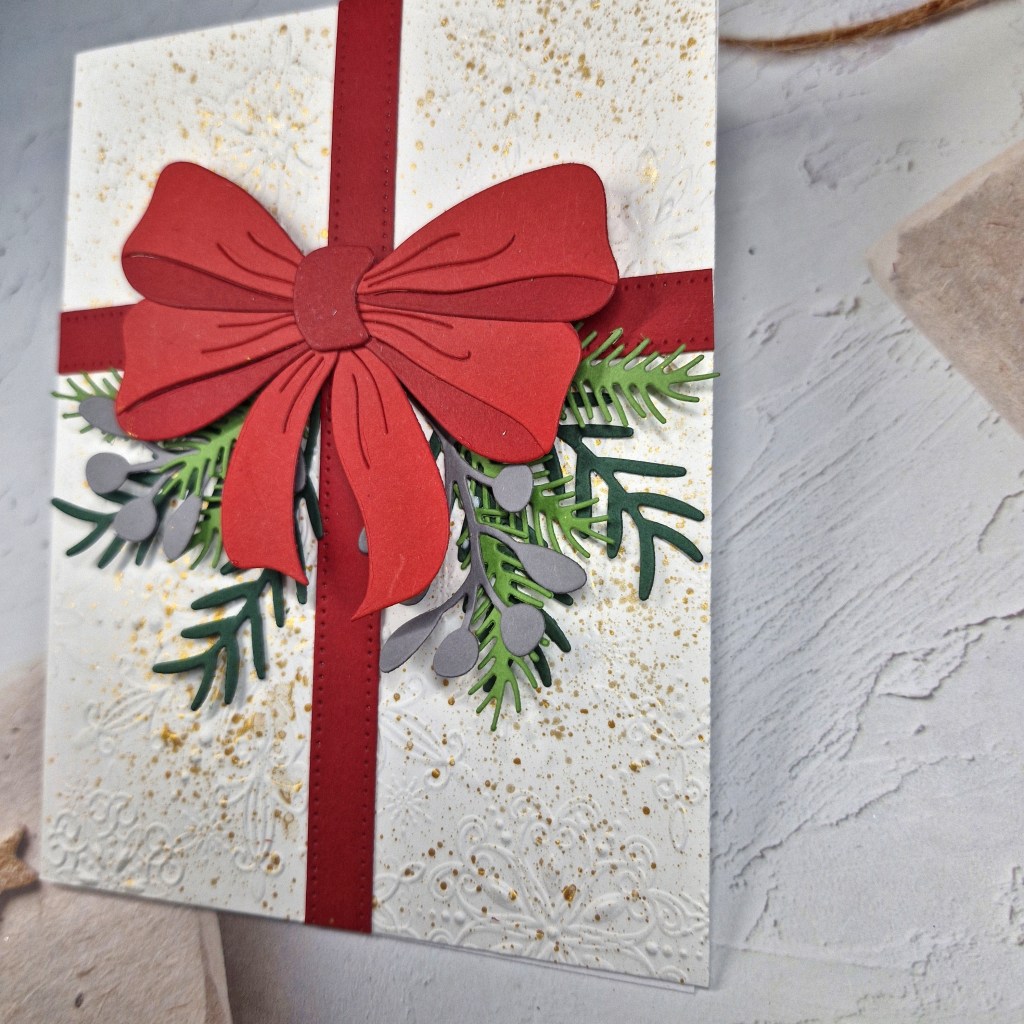
I used The Greetery ‘Big Beautiful Bow’ as the focus for the theme and the focus for the card. I love the layers you can create using the die – I have had it for a while and absolutely do not know why I haven’t used it…..
The layers were die cut from two tones of red, then glued together.
The base panel is white, embossed using a Simon Says Stamp embossing folder, then splattered with gold acrylic paint.
The foliage was die cut using a couple of Spellbinder dies in green tones, with some grey added because I do like grey foliage….
Once the background panel was dry, I adhered the bow with 3D foam, then added the four red strips. The foliage was placed as you see, with just the part hidden under the bow glued down, the rest of them I like to leave loose for added interest.
I didn’t add a sentiment, which is unusual for me, but I like the way it looks without one.
I hope you can coma and join us with your creations following our theme. xx
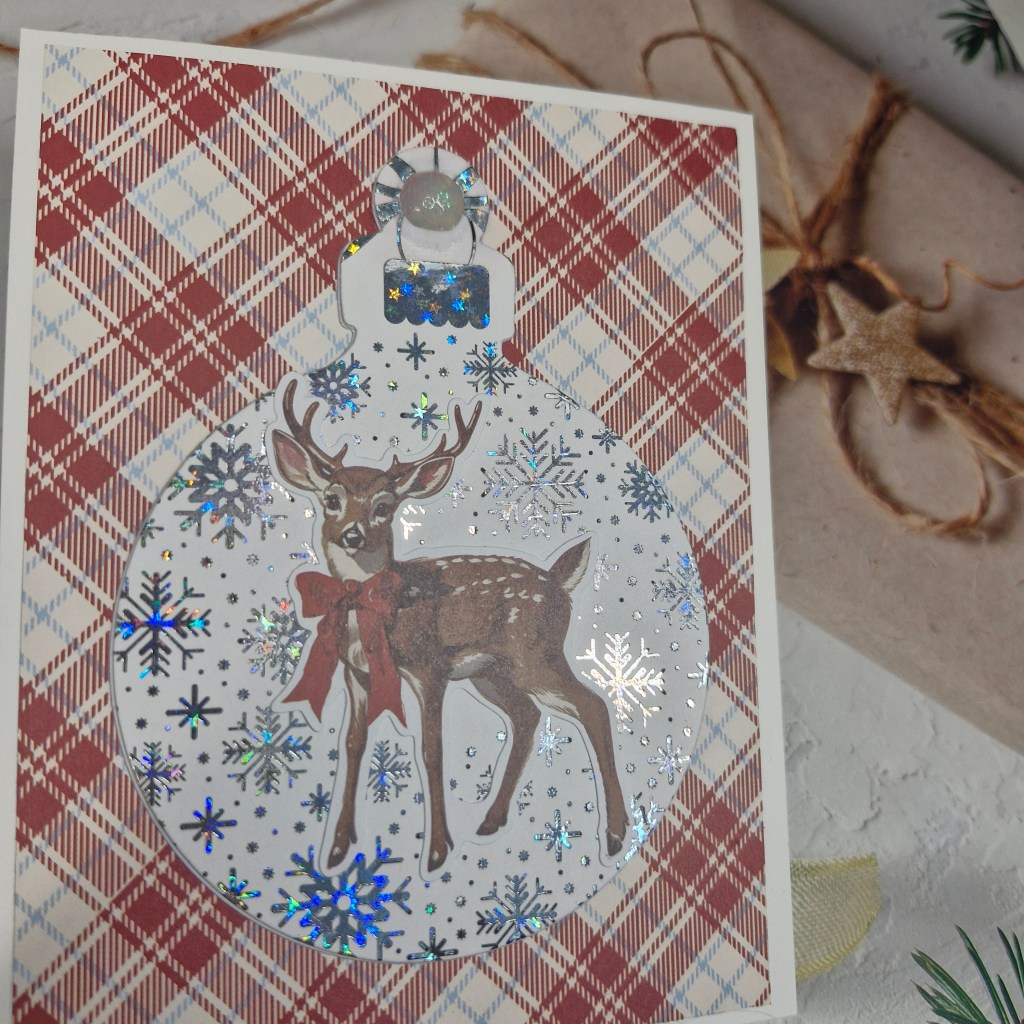
Hello everyone. Cardz 4 Galz has started a new challenge, Dawn is hosting, and she has chosen the theme of ‘Christmas Sparkle’. Here is my card:
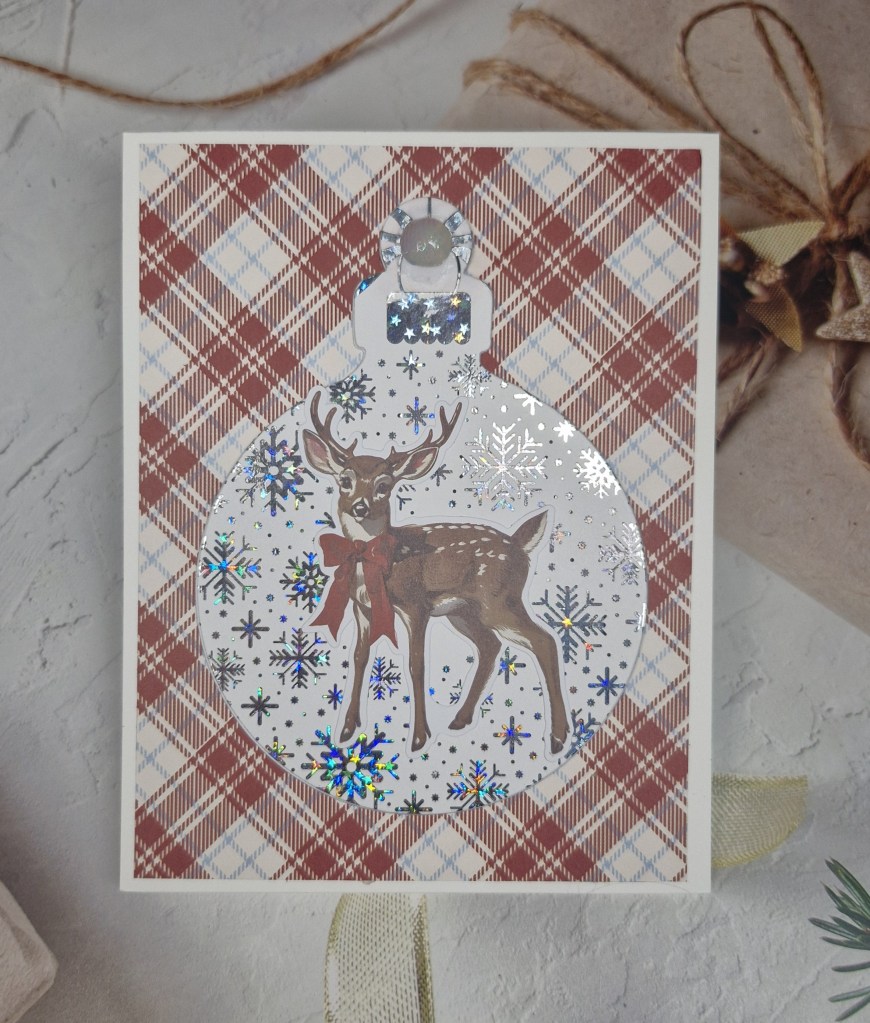
I used some patterned paper from Simple Stories, I believe I received it as part of a class, and used a panel of the tartan for the background.
The snowflake panel is heat foiled using a toner sheet, silver foil, and the Gina K Designs Fuse foiling system. I haven’t played with this very much, so I had to check out one of her YouTube videos – but it foils like a dream…
This foiled panel was then die cut with Hero Arts besting bauble dies – a couple of times for dimension – then all elements added.
The deer is also part of the ephemera I received for this kit, and glued directly onto the foiled bauble.
I hope you can come and join us with your ‘Christmas’ Sparkle’ creations. xx
Hello again. The ABC Christmas Challenge has reached the end of the alphabet, and therefore this challenge is for the letters ‘Y’ and ‘Z’. The Christmas themes for these letters are:
Y is for Yummy (food) and Z is for Zebra (black & white or stripes)
Here is my card:
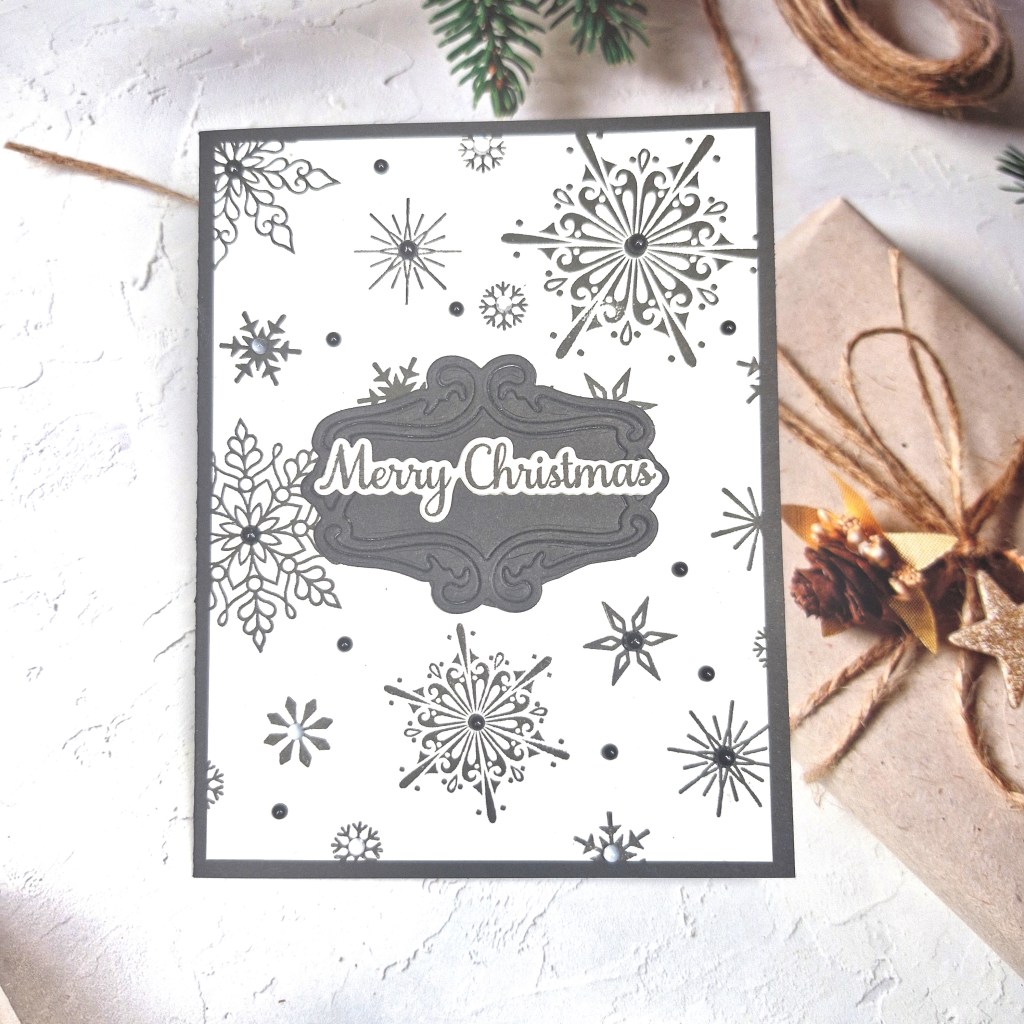
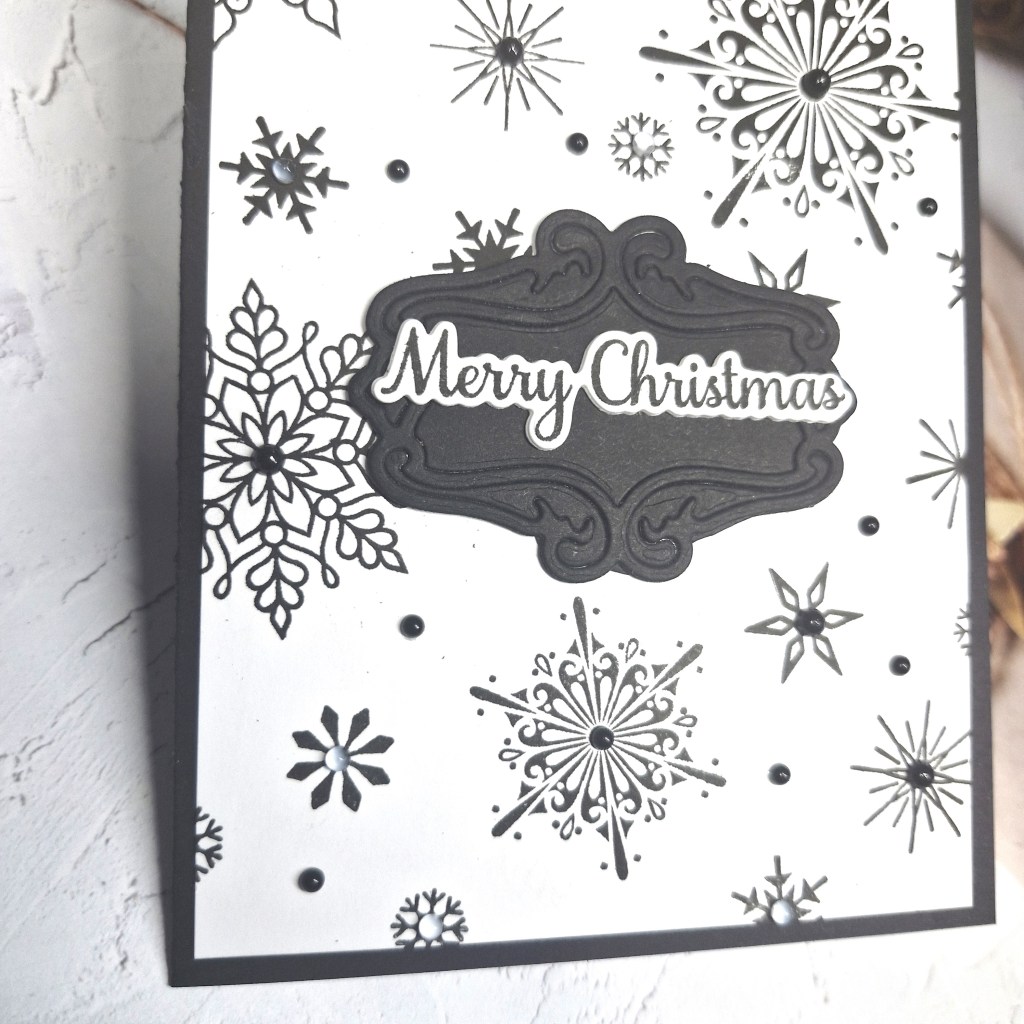
I obviously followed the black and white Christmas theme, creating what I think is quite a dramatic card.
I took an A2 panel and stamped some Gina K Designs snowflakes on a random pattern all over it, then cut it down slightly and matting with a piece of black card to create the edge.
The black banner/label for the centre is from The Greetery, and the die cuts out this filigree frame – but I decided I wanted all the details of the frame to stay in place, so I placed them all back in and applied some double sided tape to the back – keeping them secure.
The sentiment was stamped, then die cut with the matching die.
The final touch was to add some black gems to the snowflake centres, and a couple of smaller gems in some of the white spaces.
I hope you can come and join us for our final challenge of the year with your Christmas creations following one or both of our themes. xx
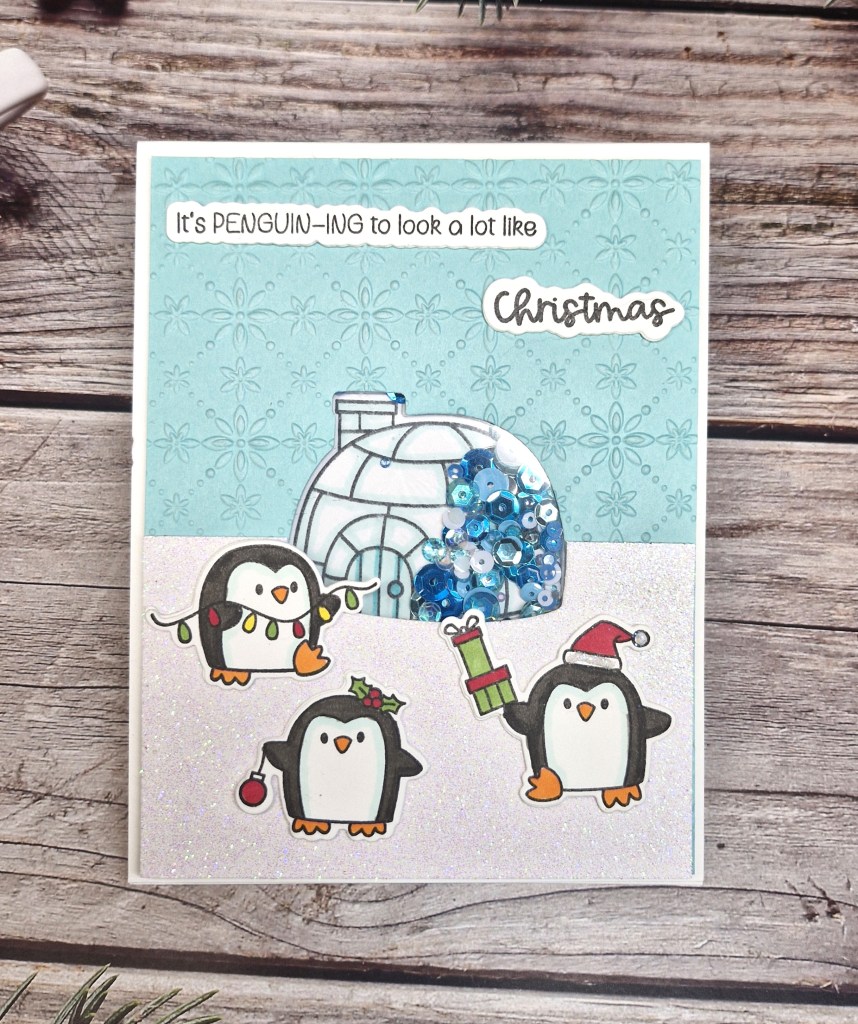
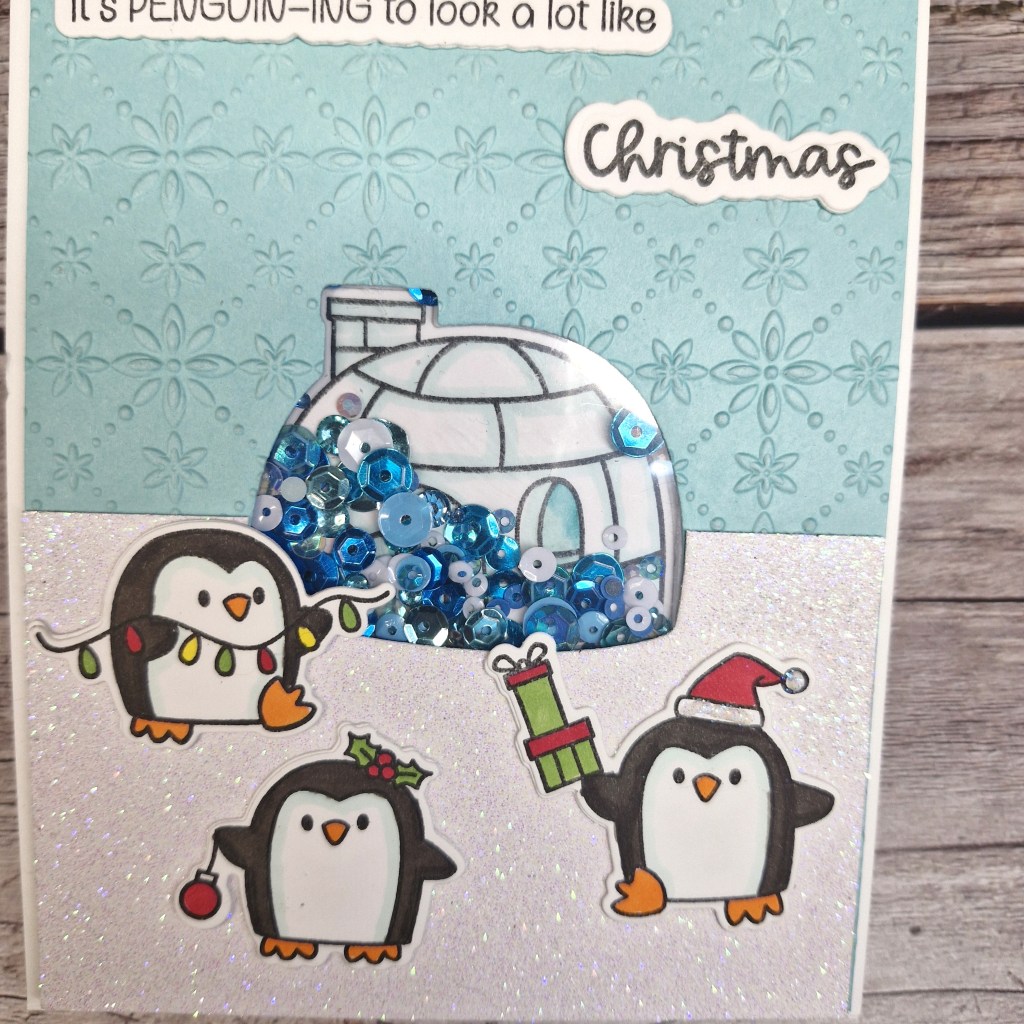
The stamp and die set is from Time For tea Designs, and I thought the igloo would be a good shape to create my shaker window.
Taking a light blue card panel, I die cut the igloo from where I wanted it to be, then ran that piece through an embossing folder from Spellbinders. I then attached a piece of acetate to create the window.
I took a piece of white glitter card from Pink Frog Designs – a shop local to me – and die cut the bottom of the igloo, so the snow would come up and around, trimming off to match the blue piece underneath.
Before assembling the shaker, I stamped and coloured all the images with Copics, die cut them out, then tried to figure out how I could place the igloo behind the window, in just the right spot, so it showed through……I managed by putting a small piece of low tack tape on the front of the igloo die cut, placing it against the acetate on the back of the window, applying glue tape to the back of the igloo, placing it down on my card base. When I removed the acetate panel, the igloo was left behind in the correct spot….
3D foam tape was adhered all over the back of the window piece, sequins added to the igloo area, another piece of acetate placed on the back of the sequins, trapping all the sequins. I learnt this trick a few years ago when going to Time For tea Designs craft day, that way no fiddling or faffing trying the line up the front shaker panel.
I then applied some Pritt Stick to all the 3D foam pieces – allows a little time to ensure the panel is on the right place – then attach.
I die cut another of each of the images out of white card for more stability, glued them together, glued them down to create the scene, added the sentiment, also added a little bit of Lawn Fawn Prisma glitter to the hat of the penguin holding the presents.
I shall be entering the following challenges:
CYHTP – embossing folder – option of thanks not taken
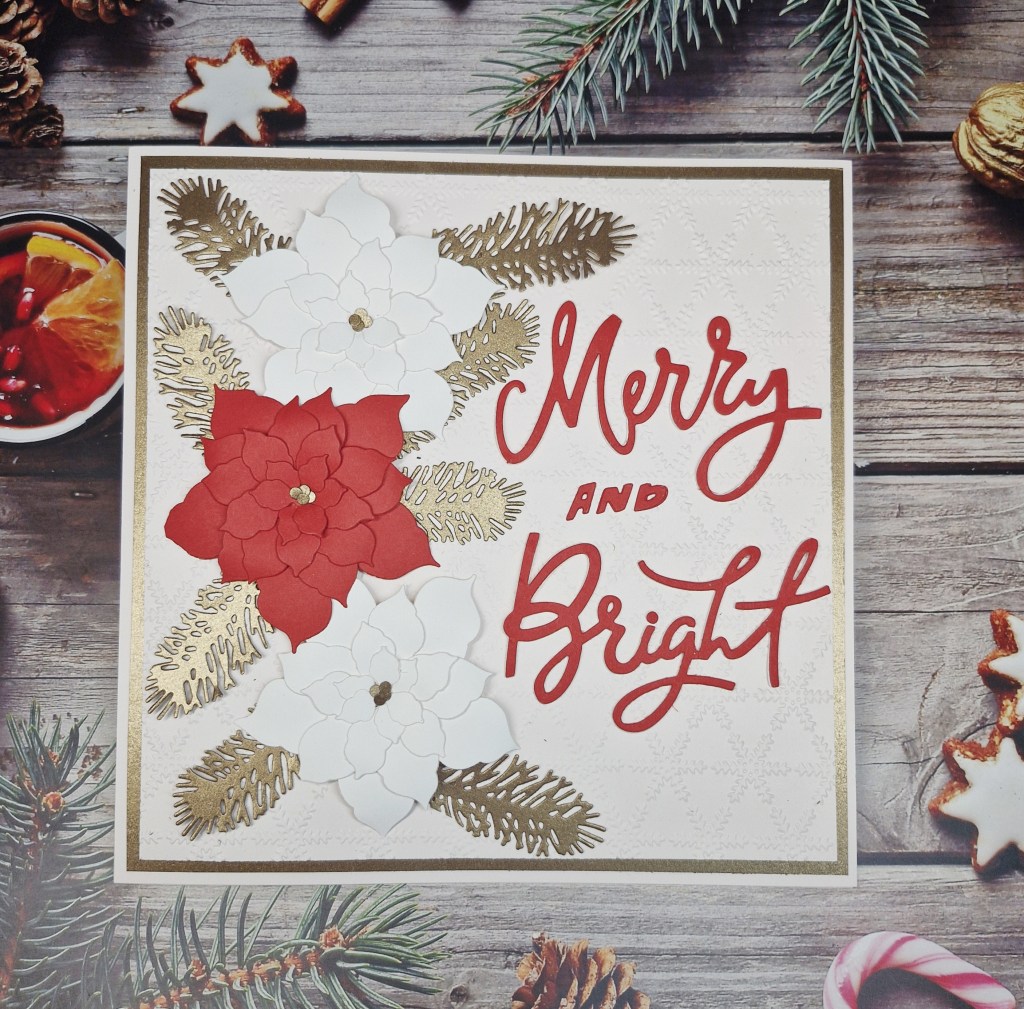
Hello. I have a card to share inspired by several challenges. For this card, I went back to my card making roots by using several Sue Wilson/Creative Expressions dies, and by creating an 8 x 8 inch behemoth:
I was sorting out part of my stash the other day, and found several packs of Creative Expressions card – the blush pink and the gorgeous bronze metallic – I just had to use them for this card.
I did originally have a 6 x 6 inch card base, but I just couldn’t fit everything on there, so I found some larger pieces of card – stored away ‘safely’ and found after quite a few minutes of searching….
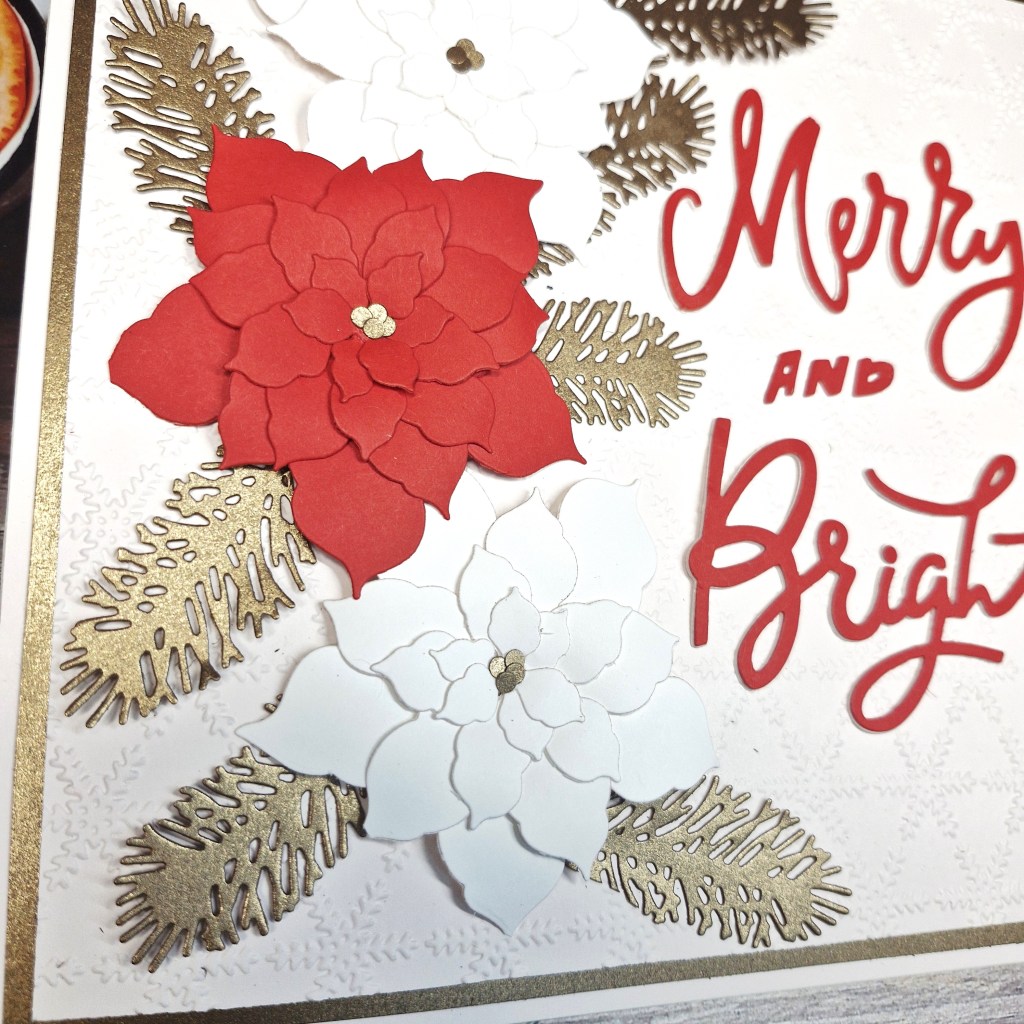
\\teh red and two white poinsettia were created using die sets which are dated from 2016 (!!) all elements die cut from Heffy Doodle card stock for the red, and Neenah for the white. I layered them together after curling the leaves a little to create some dimension on the flowers.
The centres of the flowers were created by punching some holes and using what we would normally discard….
I remember having to create some boxed for these cards in the past as there was so much dimension – I guess I’ll have to do that again with this card.
Anyhoo – I matted the card base with the bronze piece, ‘gutting’ the inside by die cut some of the foliage, extra die cuts from another piece of card.
I also die cut some green foliage, but I didn’t like the look of these when I was putting everything together – good for another future card I think….
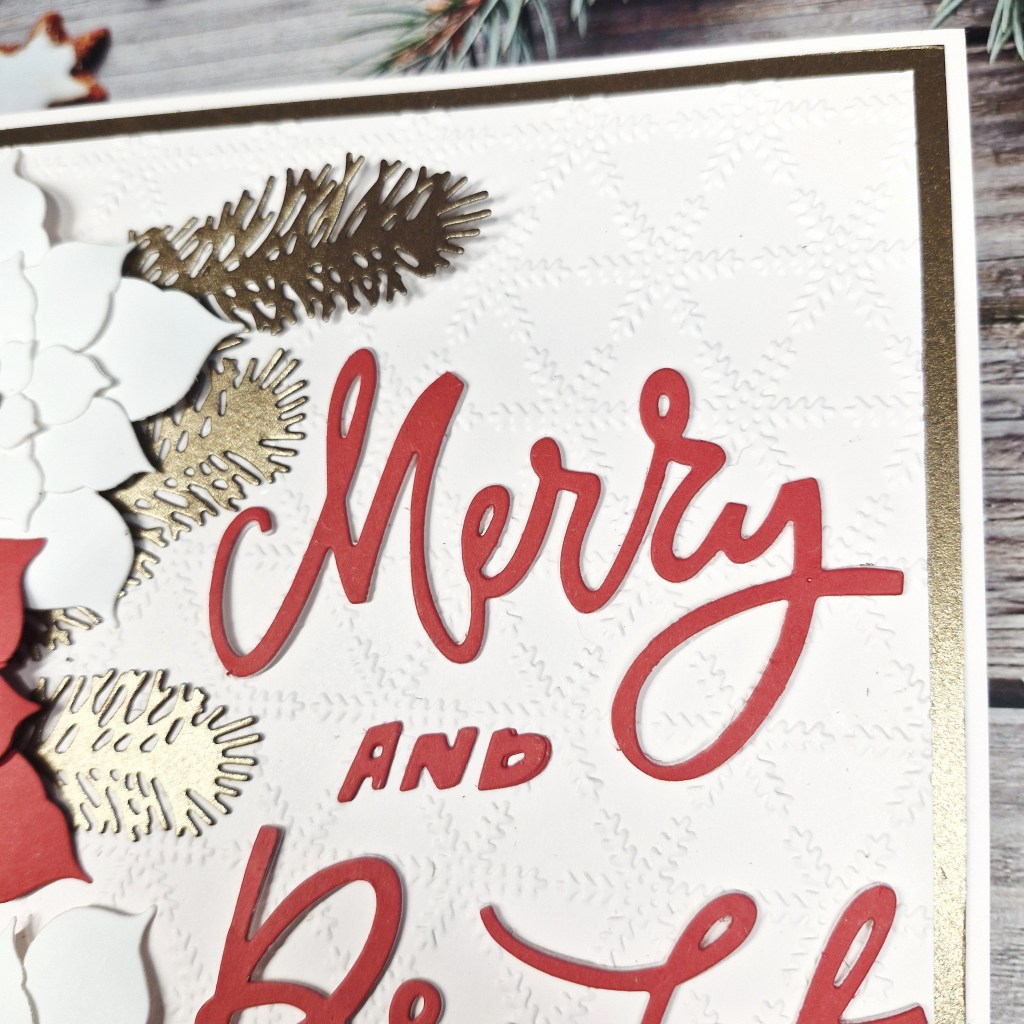
As the flowers were white, I used a piece of the blush card stock, ran it through my Big Shot Pro with an older Creative Expressions embossing folder, then adhered to the bronze, then the card base.
I arranged the florals and foliage, playing a little, then search through the CML app for find a larger Christmas sentiment I could create using dies only – and this Tim Holtz one seemed to fit.
I die cut the words with red, then also layered them a couple more times with the blush – in case I couldn’t glue them together perfectly.
All elements were attached – the flowers with 3D foam tape, and the foliage and sentiment with glue.
So – this card was a trip down memory lane for me. I reminded me that the products I have had for years can still be used, not to forget them, and it also took me back to my mum – she is the one who got me into die cutting for cards. I tried to stay away from die cutting for ages – but eventually succumbed – and now I prefer die cutting and creating more than stamping and colouring. Thanks Mum….miss you……xx
I shall be entering the following challenges:
CYHTP – embossing folder – option of thanks not taken
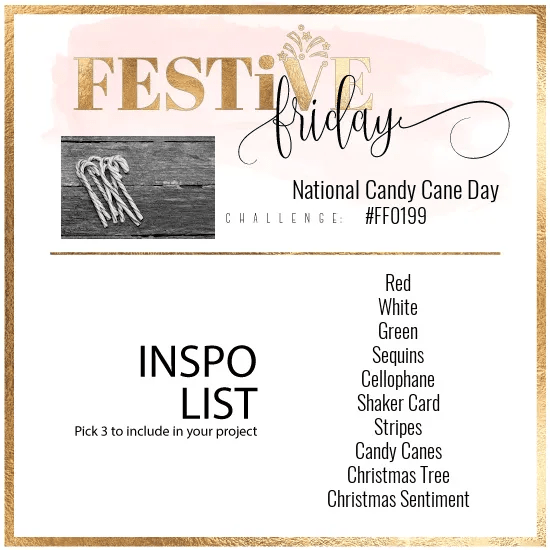
Festive Friday – 3 items from the list – red, white, Christmas sentiment
More time spent in my craft room these past few days. Hubby has been away, I have not been at work very much – and the weather has been a little dreary – to say the least.
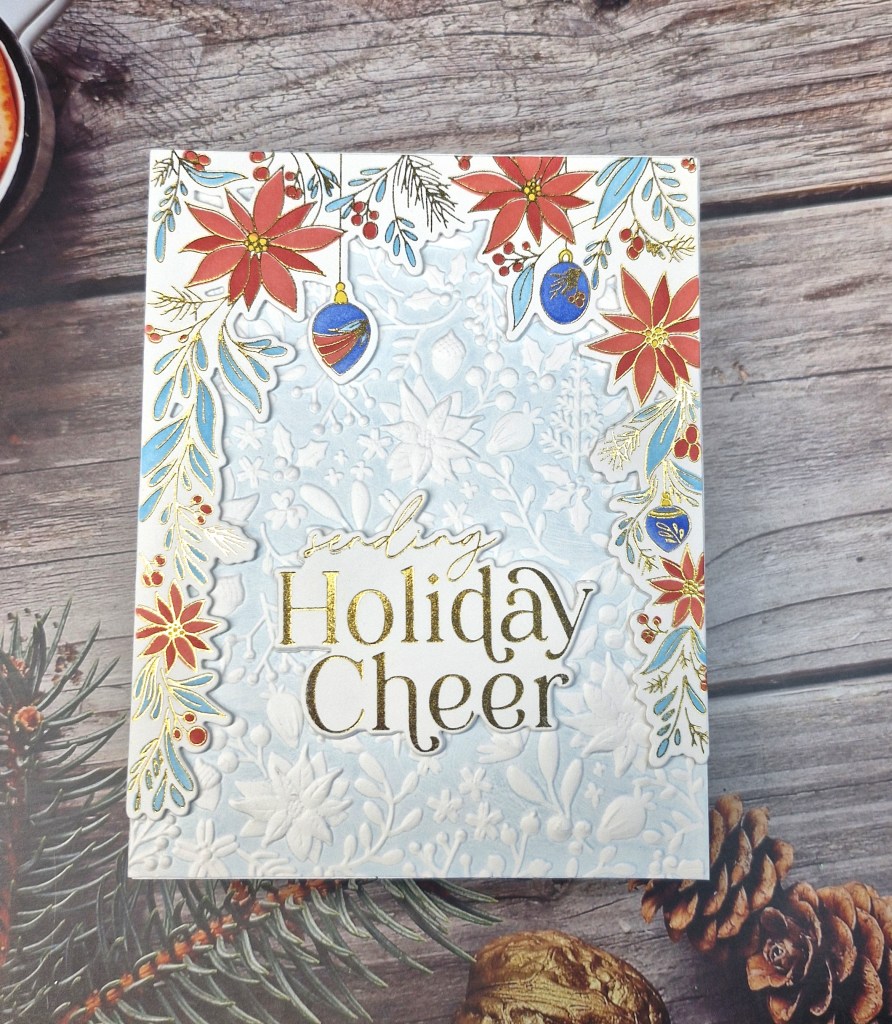
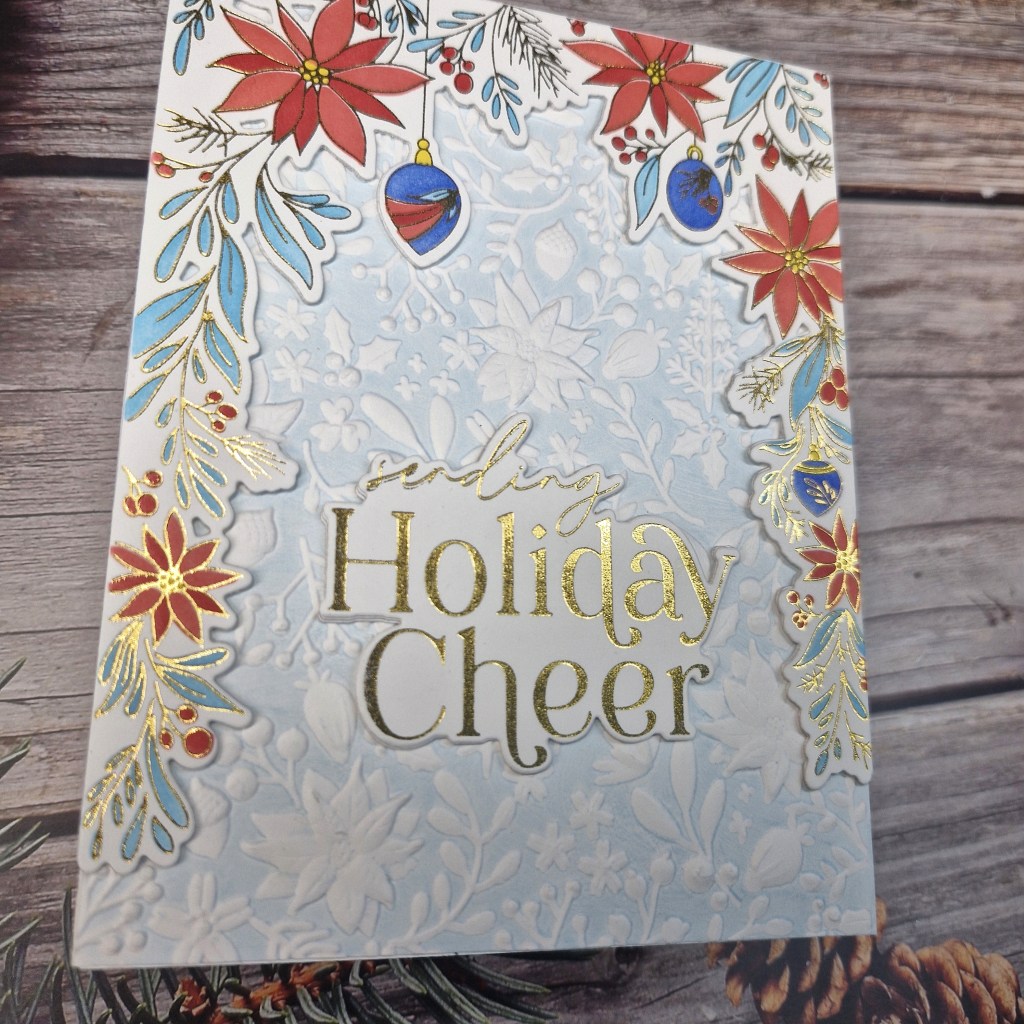
Here is a card I created using an older product suite from Pinkfresh Studio:
The frame image was gold heat foiled, then coloured using the matching layering stencils. I chose to go with varying tones of red and blue using Pinkfresh Studio inks.
Once this was ink blended, I used the matching die to cut it out, then also cut another two so I could layer it up for more stability and dimension.
The sentiment was also gold foiled, then die cut, again layering a couple more times.
I wanted to try the ink with an embossing folder again, I haven’t had much luck with this in the past, so I thought I’d give it another go after seeing many people have success.
I used a Spellbinders embossing folder, inked the flatter or ‘bottom’ of the folder with a light blue ink, and ran it through my machine……..love how it turned out. A subtle background colour to the more vibrant colours of the images.
The background panel was adhered to the card base, the image frame and sentiment then attached.
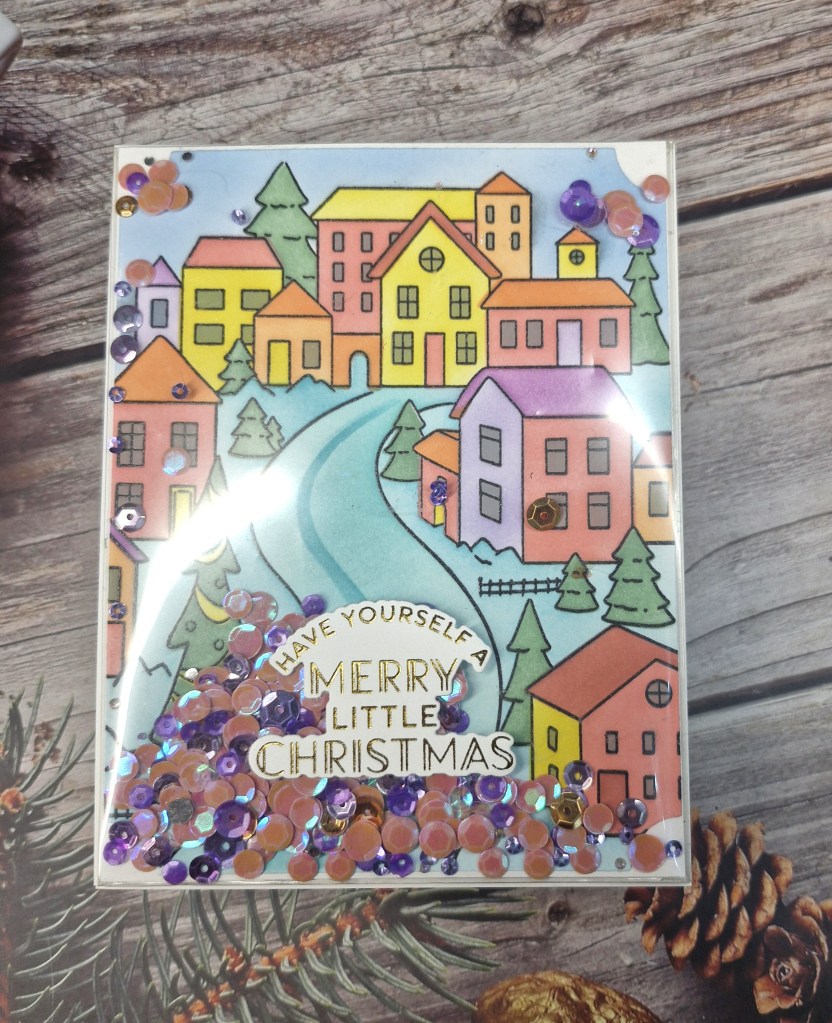
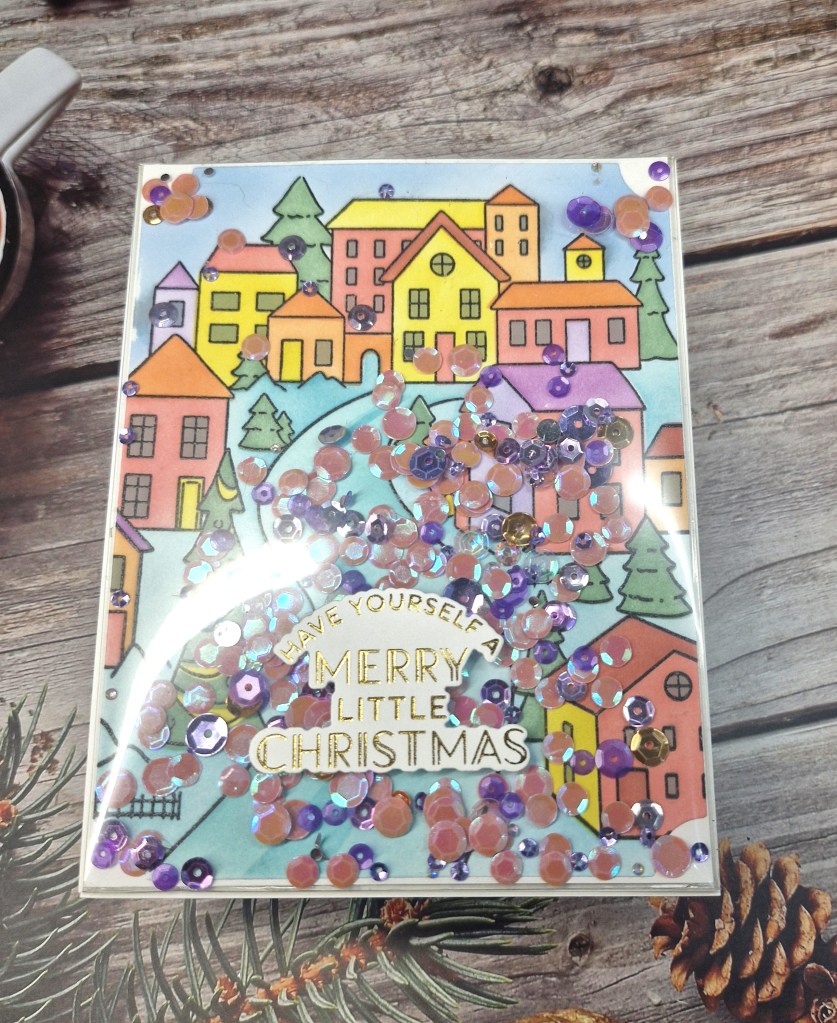
Hello everyone. I was able to create a shaker card using an older product suite from Pinkfresh Studio:
I first stamped in black then clear heat embossed the image. I find that no matter what black ink I use – and I have several – and if I just heat set the ink, I still get some bleeding around the outlines. The heat embossing solved that problem for me.
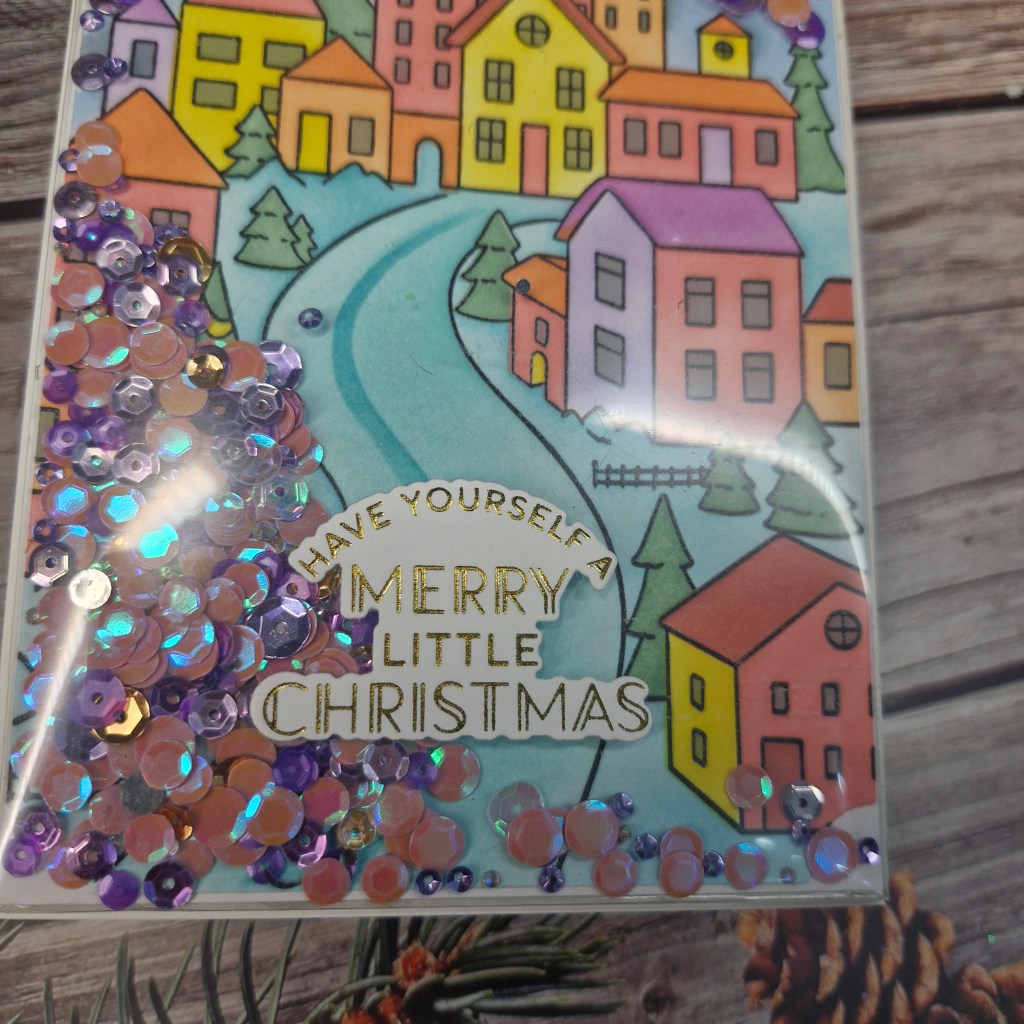
I then used the layering stencils to colour on the image, different colours on each stencil to get more variety, but I wanted a bright little village so used the brighter colour tones.
Once coloured, I used a notched fram3e die to cut it down a little, then hunted out my Toni Studios shaker pouches – stored ‘safely’ but found none-the-less.
I created the pouch, added some colours of sequins which I felt matched some of the colours of the image, sealed the pouch, then attached to a white card base.
The sentiment is gold foiling.
These Tonic pouches really do make shaker cards so very easy – the hardest part was selecting which colours of sequins to use.
















 loopyloocards